Now on the Microsoft Store
Your CS2 matches, broken into stats that matter.
CS Prism is a free Windows app that saves every Counter-Strike 2 match on its own, shows live stats and analyzes your demos – shooting, duels and utility.
 Free · Windows 10 and 11
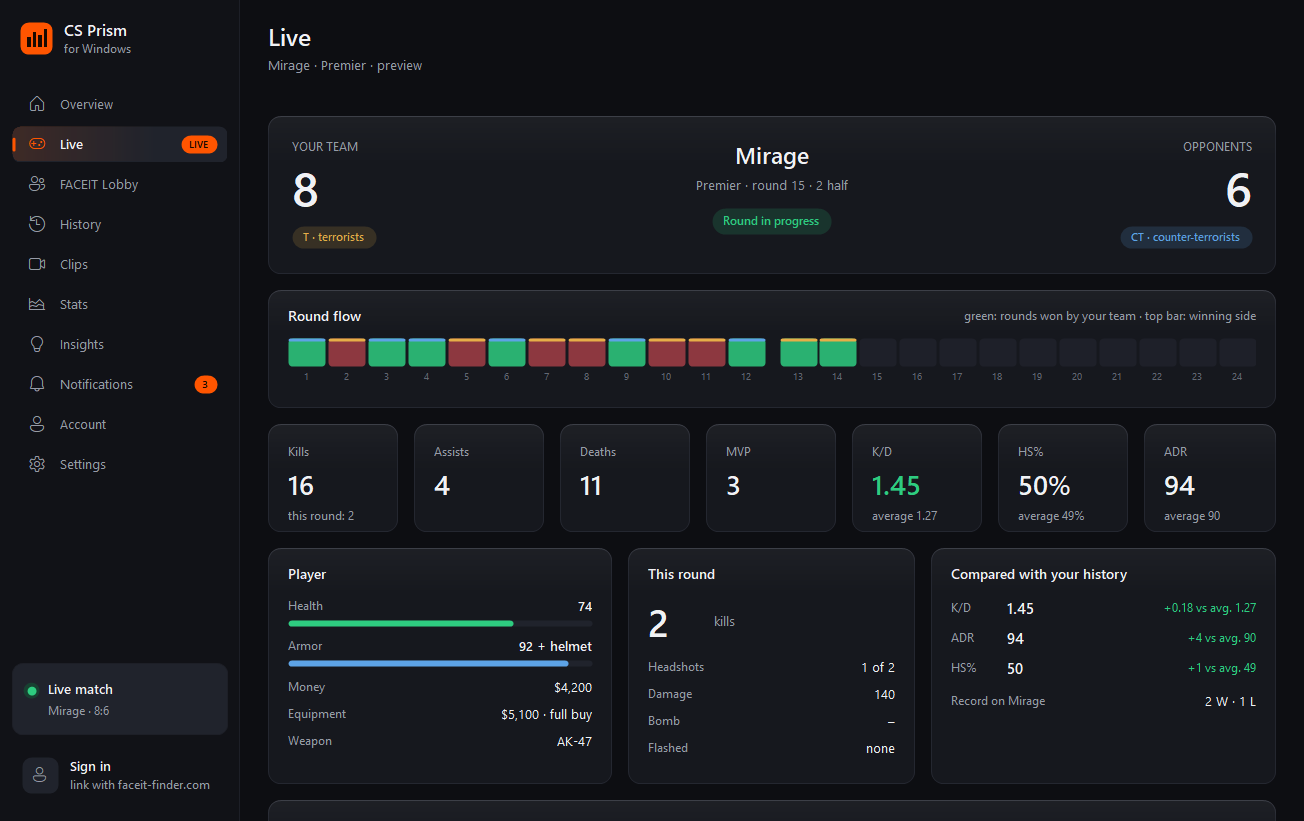
How it works
- Install from the Microsoft StoreFree and takes about a minute. The app sits in the tray and can start with Windows.
- Connect CS2 with one clickThe app saves Valve's official Game State Integration file in the game folder. Restart CS2 once.
- Play as usualEvery match is saved on its own. Link full match results to get all 10 players and a demo analysis a few minutes after Premier and Competitive matches.
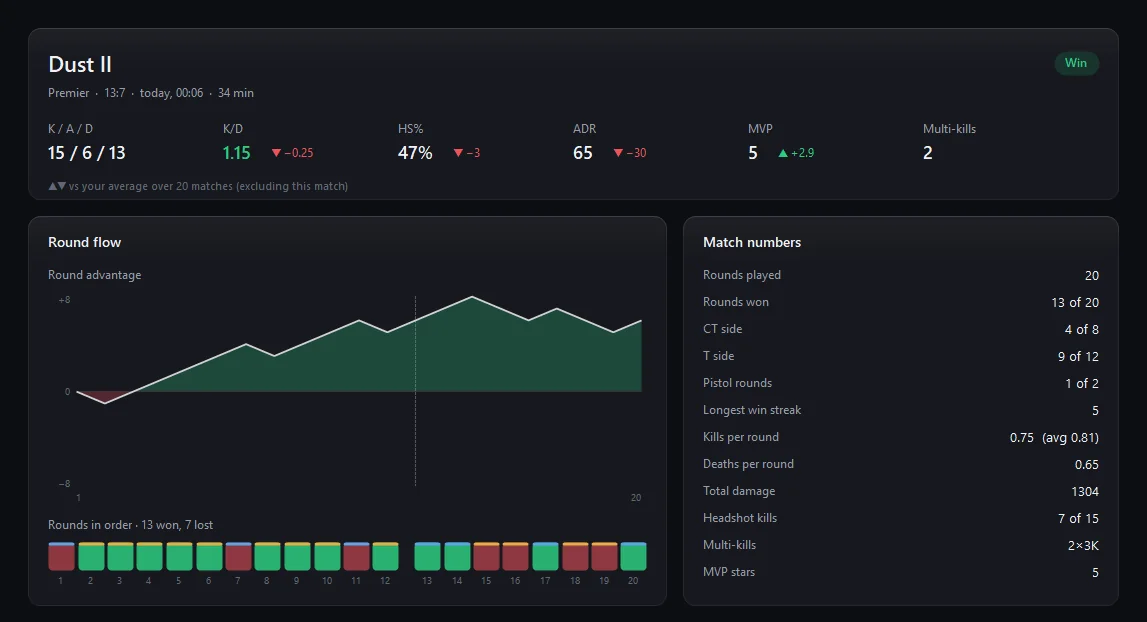
Every match, taken apart
Double-click a match in History to open its full breakdown, compared with your own average from the last 20 matches.
- K/D, HS%, ADR and MVPs with ▲▼ against your average
- Round flow and momentum, CT and T sides, pistol rounds
- Scoreboard of all 10 players from Valve's servers
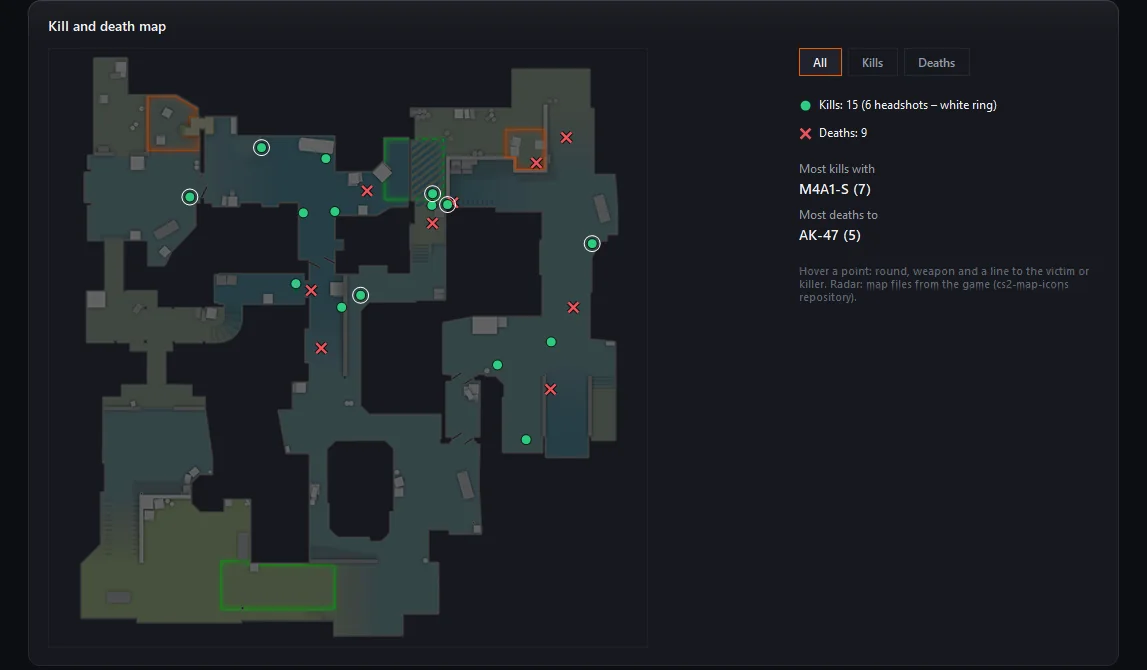
See where you win and lose your duels
The demo analysis puts every kill and death on the map radar. Hover a point to see the round, the weapon and a line to the victim or the killer.
- The weapon you get most kills with and what kills you most
- Show everything, only kills or only deaths
- Upper and lower level side by side on Nuke and Vertigo
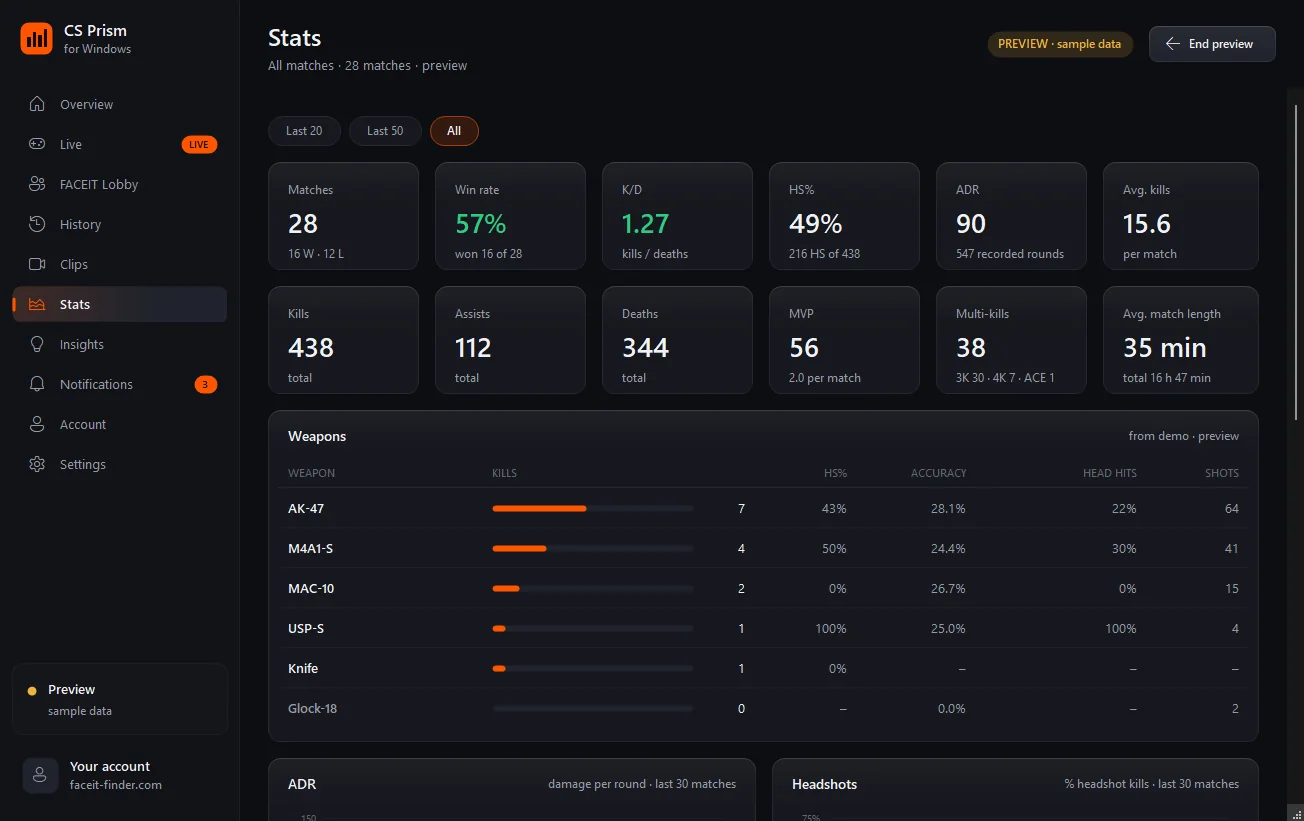
Stats that add up over time
Win rate, K/D, HS% and ADR for your last 20, 50 or all matches, plus every weapon from your demos: kills, headshot rate and accuracy.
- Maps and modes with your record on each
- ADR and headshot trends from the last 30 matches
- A session summary when you finish playing and a nudge to take a break after a losing streak
Your best plays, saved on their own
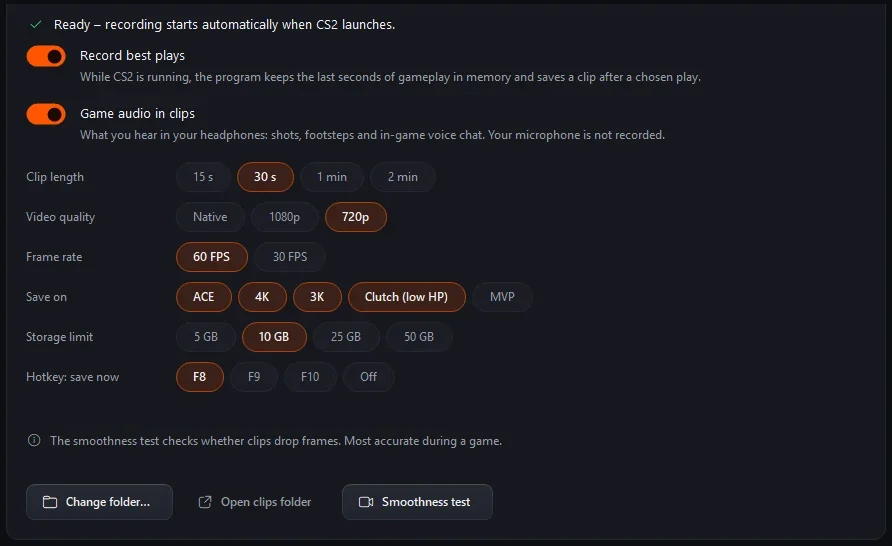
The app keeps the last seconds of gameplay in memory and saves a clip after an ACE, 4K, 3K or a low-HP clutch. Or press F8 whenever you want.
- 15 s to 2 min, native, 1080p or 720p, 30 or 60 FPS, with game audio
- Encoded on the graphics card when it supports it (NVIDIA, AMD, Intel), so the processor stays free for the game
- A smoothness test that counts dropped frames, and a Discord-sized copy under 10 MB
Safe for VAC
Only Valve's official Game State Integration. The app never reads or touches the game's memory.
Your data stays on your PC
Matches, stats and clips are saved locally. The account and full match results are optional.
Free
No ads, no subscription, no tracking without your consent.
The app
For Windows, running next to CS2
- Every match saved on its own, with score, K/D, HS% and ADR
- Live view during a match, round by round
- Demo analysis: accuracy, counter-strafing, opening duels, clutches and utility
- Full results of all 10 players from Valve's servers
- Clips of your best plays: ACEs, clutches, multi-kills
- FACEIT lobby analysis and ban alerts for players you watch
- Uses Valve's official Game State Integration, safe for VAC
The website
Coming next – your stats from any device
- Match history with all 10 players and their scoreboard
- Insights from your own games: best maps, time of day, pistol rounds
- Your demo analysis and trends in the browser
- Sign in through Steam – the same account as in the app